

Can a handheld inkjet printer connect to a mobile device?
Oct 30, 2025
Leave a message
In today's fast - paced business environment, the demand for flexible and efficient printing solutions is on the rise. As a supplier of handheld inkjet printers, I often encounter inquiries about the connectivity of these devices to mobile devices. This blog post aims to explore the possibility, benefits, and challenges of connecting a handheld inkjet printer to a mobile device.
The Technological Feasibility
Modern handheld inkjet printers are increasingly designed with advanced connectivity features. Most of the latest models support Wi - Fi, Bluetooth, and USB connections. These technologies form the basis for the connection between a handheld inkjet printer and a mobile device.
Wi - Fi connectivity allows the printer to connect to the same local network as the mobile device. Once connected, the mobile device can communicate with the printer over the network. This is particularly useful in industrial settings where multiple devices may need to access the printer simultaneously. For example, in a large warehouse, workers with mobile devices can send printing tasks to the handheld inkjet printer from different locations within the Wi - Fi range.
Bluetooth, on the other hand, provides a more direct and short - range connection. It is ideal for situations where the mobile device and the printer are in close proximity. For instance, in a small workshop, an operator can quickly connect their smartphone or tablet to the handheld inkjet printer using Bluetooth to print labels or markings on products.
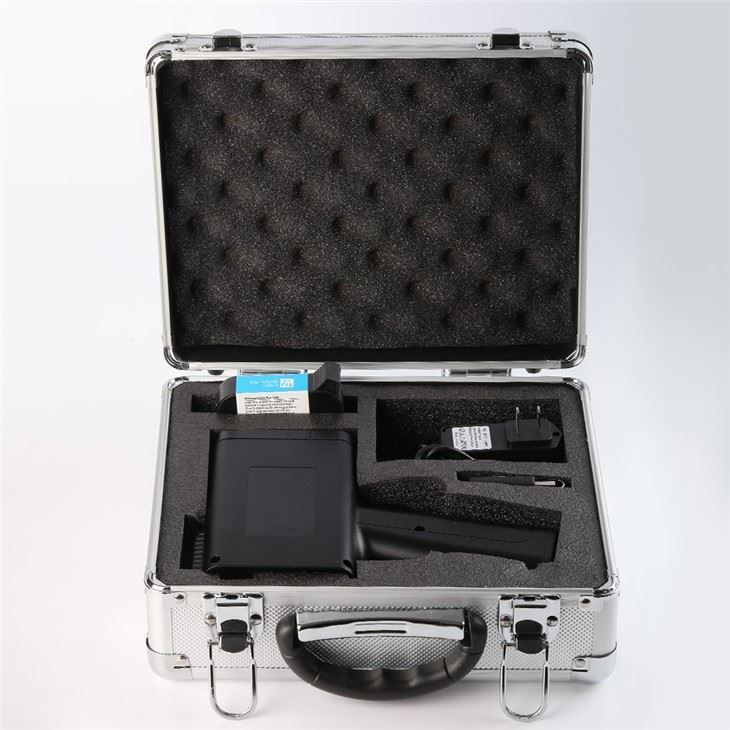

USB connections offer a reliable and stable way to transfer data between the mobile device and the printer. Although it requires a physical connection, it can be useful when dealing with large amounts of data or when a more secure connection is needed.
Benefits of Connecting a Handheld Inkjet Printer to a Mobile Device
Mobility and Flexibility
One of the most significant advantages is the enhanced mobility. With a mobile device, users can carry out printing tasks from anywhere within the range of the connection. For example, sales representatives in the field can use their tablets to print product labels or price tags on the spot. This not only saves time but also increases the efficiency of the sales process.
Real - Time Printing
Connecting to a mobile device enables real - time printing. Users can generate and print labels or markings immediately after creating the content on their mobile devices. This is crucial in industries where timely information is essential, such as food and beverage production, where expiration dates and batch numbers need to be printed accurately and promptly.
Easy Content Creation
Mobile devices are equipped with a wide range of software applications that make it easy to create printing content. Users can design labels, add text, images, and barcodes using simple and intuitive apps. This eliminates the need for complex desktop software and allows for quick and easy customization of printing content.
Challenges and Considerations
Compatibility
One of the main challenges is ensuring compatibility between the mobile device and the handheld inkjet printer. Different printers may support different operating systems and software versions. For example, some printers may only be compatible with Android devices, while others may work better with iOS. It is essential to check the compatibility list provided by the printer manufacturer before attempting to connect the devices.
Security
When connecting a handheld inkjet printer to a mobile device, security is a major concern. Wireless connections, such as Wi - Fi and Bluetooth, can be vulnerable to hacking and data breaches. To mitigate these risks, it is important to use secure networks, enable encryption, and regularly update the software on both the mobile device and the printer.
Battery Life
Mobile devices and handheld inkjet printers rely on batteries. Frequent connection and data transfer between the two devices can drain the batteries quickly. Users need to ensure that both devices are fully charged before starting a printing task or have access to a power source during the process.
Our Handheld Inkjet Printer Offerings
As a supplier of handheld inkjet printers, we offer a range of products that support connectivity to mobile devices. Our Inkjet Printer Sc 750 is a high - performance printer that features Wi - Fi and Bluetooth connectivity. It allows users to connect their mobile devices easily and print high - quality labels and markings.
Our Compact Handheld Inkjet Marking Systems are designed for portability and ease of use. They can be connected to mobile devices using USB or Bluetooth, providing a flexible and efficient printing solution for small and medium - sized businesses.
For those looking for a more advanced option, our Thermal Ink Jet Printer offers fast and accurate printing. It supports multiple connectivity options, including Wi - Fi, Bluetooth, and USB, making it suitable for a wide range of applications.
Conclusion
In conclusion, it is indeed possible to connect a handheld inkjet printer to a mobile device, thanks to the advancements in connectivity technologies. The benefits of enhanced mobility, real - time printing, and easy content creation make it a valuable option for businesses in various industries. However, users need to be aware of the challenges such as compatibility, security, and battery life.
As a supplier, we are committed to providing high - quality handheld inkjet printers that offer seamless connectivity to mobile devices. If you are interested in our products or have any questions about connecting a handheld inkjet printer to a mobile device, please feel free to contact us for further discussion and procurement negotiation.
References
- "Handheld Inkjet Printer Technology and Applications" - Industry Research Report
- Manufacturer's Guides for Handheld Inkjet Printers
- Mobile Device Connectivity Standards and Best Practices
Send Inquiry