

How to refill the ink in a handheld inkjet printer?
Jul 15, 2026
Leave a message
Refilling the ink in a handheld inkjet printer is a crucial skill for anyone using these devices, whether for small - scale business operations or personal use. As a handheld inkjet printer supplier, I've seen firsthand the importance of proper ink refilling to ensure the smooth and efficient operation of the printer. In this blog, I'll guide you through the process of refilling the ink in a handheld inkjet printer, step by step.
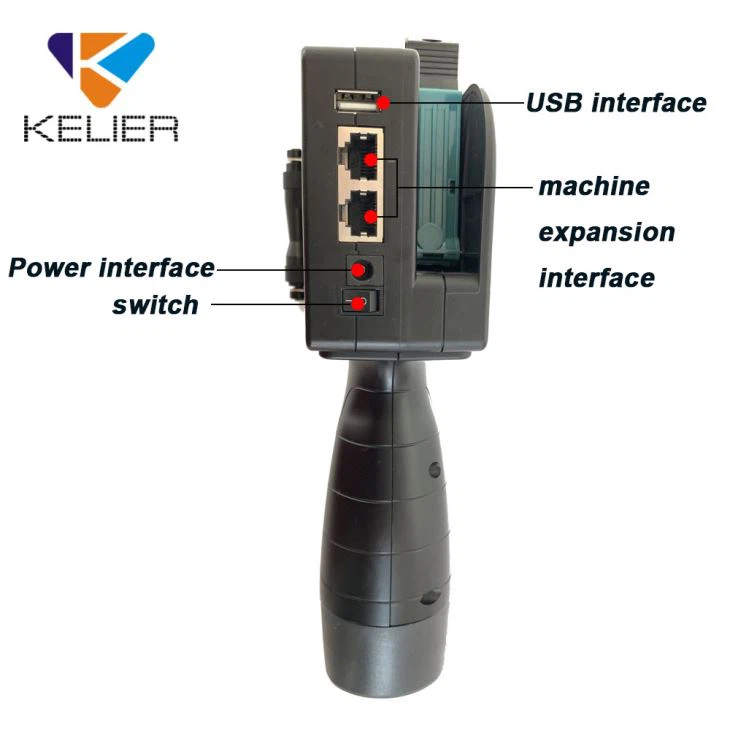

Understanding Your Handheld Inkjet Printer
Before you start refilling the ink, it's essential to understand the specific model of your handheld inkjet printer. Different printers have different ink cartridge designs and refilling mechanisms. Some printers use removable cartridges, while others have built - in ink reservoirs. You should refer to the user manual of your printer to understand its unique features.
Most handheld inkjet printers are designed for easy maintenance, but each model may have its own quirks. For example, some printers require a specific type of ink to function optimally. Using the wrong ink can lead to clogging, poor print quality, and even damage to the printer.
Gathering the Necessary Supplies
To refill the ink in your handheld inkjet printer, you'll need a few supplies:
- Ink: Make sure to purchase the correct type of ink for your printer. You can usually find this information in the user manual or by contacting the manufacturer. High - quality ink is essential for good print results.
- Syringe or Ink Refill Kit: A syringe is a common tool for refilling ink. Some printers come with a dedicated ink refill kit, which may include a syringe, needles, and instructions.
- Clean Cloth: You'll need a clean cloth to wipe any spills or excess ink during the refilling process.
Preparing the Printer
Before you start refilling the ink, turn off the printer and let it cool down if it has been in use recently. This will prevent any potential damage to the printer due to heat.
Next, locate the ink cartridge or ink reservoir. In some printers, you may need to open a cover or remove a panel to access the ink storage area. Be gentle when handling the printer to avoid any accidental damage.
Refilling the Ink
- Remove the Ink Cartridge (if applicable): If your printer uses a removable ink cartridge, carefully remove it from the printer. Make sure to follow the instructions in the user manual to avoid any spills.
- Prepare the Ink: If you're using a syringe, draw the ink into the syringe. Make sure to measure the correct amount of ink as specified in the user manual.
- Refill the Cartridge or Reservoir: Insert the syringe needle into the refill hole of the ink cartridge or reservoir. Slowly inject the ink, being careful not to overfill. Some cartridges may have a maximum fill level indicated.
- Replace the Cartridge (if applicable): Once you've refilled the cartridge, carefully place it back into the printer. Make sure it is properly seated and locked in place.
Testing the Printer
After refilling the ink, turn on the printer and run a test print. This will help you check if the ink is flowing properly and if the print quality is satisfactory. If you notice any issues, such as streaks or missing characters, you may need to clean the print head.
Troubleshooting
If you encounter problems during the refilling process or after testing the printer, here are some common issues and solutions:
- Clogged Print Head: If the print quality is poor or there are missing characters, the print head may be clogged. You can try cleaning the print head using a cleaning solution or by running a cleaning cycle on the printer.
- Ink Leakage: If you notice ink leakage, make sure the cartridge is properly seated and the refill hole is sealed. You may also need to check for any cracks or damage to the cartridge.
- Low Ink Warning: If the printer still shows a low - ink warning after refilling, try resetting the ink level indicator. Some printers have a reset button or a menu option for this.
Additional Considerations
- Storage of Ink: Proper storage of ink is crucial to maintain its quality. Keep the ink in a cool, dry place away from direct sunlight.
- Regular Maintenance: In addition to refilling the ink, regular maintenance of the printer is essential. This includes cleaning the print head, checking for any loose parts, and ensuring the printer is properly calibrated.
Related Products
If you're in the market for other printing - related products, we also offer a range of options. For example, our Small Automatic Flat Labeling Machine is a great addition to your printing setup, allowing for efficient labeling. We also have an Inkjet Printer For Box that is specifically designed for printing on boxes. And if you need to print expiry dates, our Handheld Expiry Date Printer is a reliable choice.
Contact Us for Purchase and Consultation
If you have any questions about refilling the ink in your handheld inkjet printer, or if you're interested in purchasing our products, we're here to help. Our team of experts can provide you with detailed information and guidance. Whether you're a small business owner looking to streamline your printing processes or an individual in need of a reliable handheld inkjet printer, we have the solutions for you.
References
- Manufacturer's user manuals for handheld inkjet printers
- Industry - standard guides on inkjet printer maintenance and ink refilling
Send Inquiry