

How to troubleshoot the problem of weak marking on a cabinet fiber laser marking machine?
Jan 06, 2026
Leave a message
Hey there! As a supplier of Cabinet Fiber Laser Marking Machines, I've seen my fair share of issues with these nifty devices. One of the most common problems that customers run into is weak marking on the cabinet fiber laser marking machine. It can be frustrating, but don't worry! I'm here to walk you through some troubleshooting steps to get your machine back in top-notch condition.
1. Check the Laser Output Power
The first thing you gotta do is check the laser output power. A low laser power is often the culprit behind weak markings. You can use a power meter to measure the actual output power of the laser. If the power is lower than the rated power, there might be a problem with the laser source or the power supply.
Sometimes, the laser power might be set too low in the control software. So, head over to the software settings and make sure the power is set to an appropriate level. You can start by increasing the power gradually and see if the marking gets darker. But be careful not to set it too high, as it can damage the laser or the material being marked.
2. Examine the Laser Beam Alignment
Another important factor is the alignment of the laser beam. If the beam is not properly aligned, it won't focus correctly on the material, resulting in weak markings. You can use a beam profiler or a simple piece of paper to check the beam alignment.
First, make sure the laser head is clean and free of any debris. Then, place a piece of paper in the marking area and fire a test shot. The laser beam should form a clear, circular spot on the paper. If the spot is distorted or off-center, you'll need to adjust the beam alignment. This might require some technical know-how, so if you're not comfortable doing it yourself, you can always reach out to our technical support team.
3. Inspect the Marking Speed and Frequency
The marking speed and frequency also play a crucial role in the quality of the markings. If the marking speed is too fast, the laser won't have enough time to engrave the material properly, leading to weak markings. On the other hand, if the frequency is too low, the laser pulses won't be dense enough, resulting in a similar problem.
You can try adjusting the marking speed and frequency in the control software. Start by reducing the marking speed and increasing the frequency slightly. Then, run a test marking to see if there's any improvement. It might take a few tries to find the optimal settings for your specific material and application.
4. Check the Focusing Lens
The focusing lens is responsible for concentrating the laser beam onto the material. If the lens is dirty or damaged, it can affect the quality of the markings. Inspect the lens carefully for any signs of dirt, scratches, or cracks.
If the lens is dirty, you can clean it using a special lens cleaning solution and a soft, lint-free cloth. Be very gentle when cleaning the lens to avoid scratching it. If the lens is damaged, you'll need to replace it with a new one. You can find replacement lenses for our Fiber Laser Marking Machine for Metal on our website.
5. Evaluate the Material Surface
The surface condition of the material being marked can also have an impact on the marking quality. If the surface is rough, uneven, or contaminated, the laser might not be able to create a clear and strong marking.
Before marking, make sure the material surface is clean and smooth. You can use a mild detergent and a soft cloth to clean the surface, and then dry it thoroughly. If the material has a rough surface, you might need to sand it or use a polishing compound to smooth it out.
6. Look into the Cooling System
The cooling system is essential for maintaining the stability and performance of the laser. If the cooling system is not working properly, the laser might overheat, which can cause a decrease in the laser output power and result in weak markings.
Check the coolant level and the temperature of the cooling water. Make sure the coolant is clean and at the appropriate level. If the coolant is dirty, you'll need to replace it. Also, check the cooling pump and the radiator to ensure they are working correctly. If you notice any issues with the cooling system, it's best to have it repaired or replaced as soon as possible.
7. Review the Control Software
Sometimes, the problem might be with the control software. There could be a glitch or a setting that's causing the weak markings. Try restarting the software and the machine to see if that fixes the issue.
If the problem persists, you can try updating the software to the latest version. Our website usually provides software updates for our Raycus Desktop Portable Fiber Laser Marking Machine and Fly Fiber Laser Marking Engraving Machine. Updating the software can often resolve many common issues and improve the performance of the machine.
Conclusion
Weak marking on a cabinet fiber laser marking machine can be a real headache, but with a little troubleshooting, you can usually figure out the problem and fix it. By following the steps outlined above, you should be able to identify and resolve most of the common causes of weak markings.
If you're still having trouble after trying these steps, don't hesitate to contact us. Our team of experts is always ready to help you out. Whether you need technical support, replacement parts, or just some advice, we're here for you.
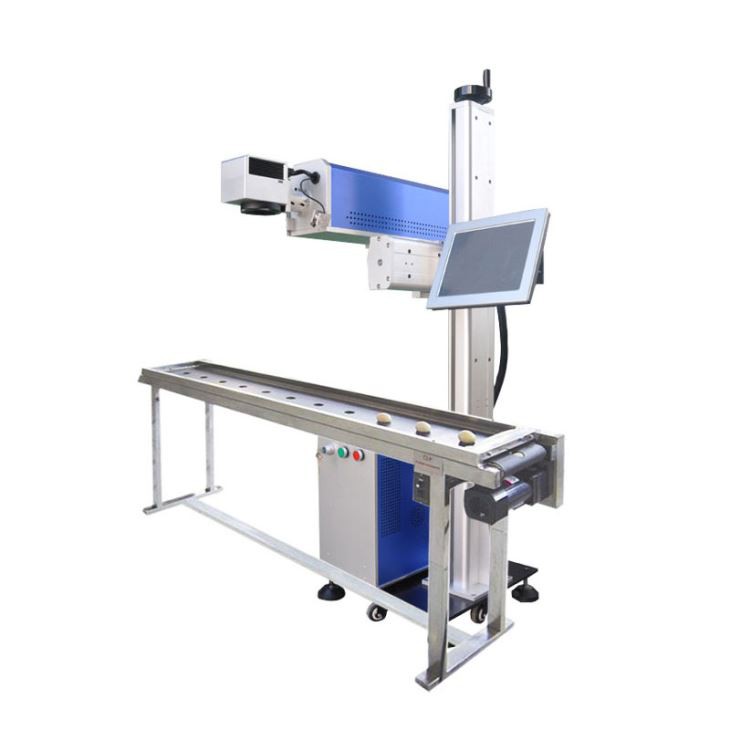

If you're in the market for a new cabinet fiber laser marking machine or looking to upgrade your existing one, we've got a wide range of high-quality machines to choose from. Our Fiber Laser Marking Machine for Metal, Raycus Desktop Portable Fiber Laser Marking Machine, and Fly Fiber Laser Marking Engraving Machine are all designed to provide excellent marking results and reliable performance.
So, if you're interested in learning more about our products or discussing your specific requirements, feel free to reach out to us. We'd love to have a chat with you and help you find the perfect solution for your marking needs.
References
- Laser Marking Handbook: A Guide to Laser Marking Technologies and Applications
- Fiber Laser Technology: Principles and Applications
Send Inquiry